


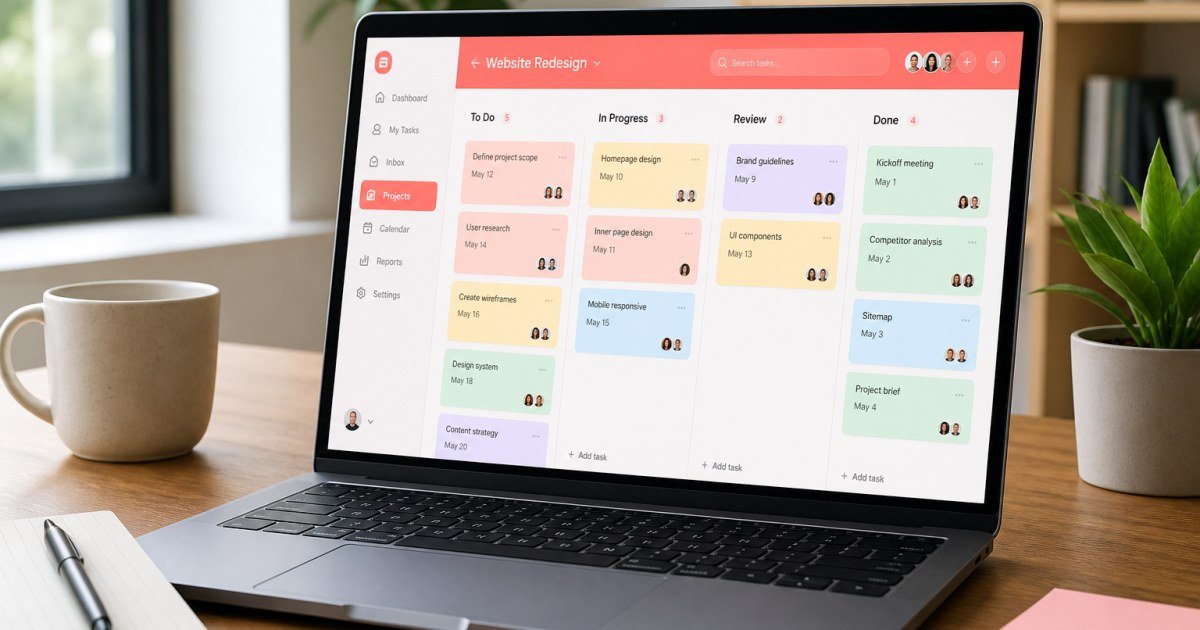
Asana remains one of the most searched project management platforms in 2026 for teams that want structured work without living inside a developer issue tracker.
Affiliate disclosure: TalkGrove may earn a commission when you buy through links on this page. That never changes our editorial standards or ratings.
What Asana Is
Asana combines tasks, timelines, workloads, and goals in a polished UI aimed at cross-functional teams.
Key Features and Buying Criteria
Expect list/board/timeline views, dependencies, custom fields, forms, dashboards, and optional AI helpers for summaries and task drafting.
Must-check items before you buy
- Confirm plan limits that affect your real workload
- Ask for all-in pricing including add-ons and seats
- Run a short pilot with a production-like task
- Read cancellation, data export, and refund terms
Pricing Reality in 2026
Free tiers cover basics; paid plans unlock timelines, advanced reporting, and admin controls. Per-seat math adds up quickly past 15 users.
Who It Is Best For
Best for structured marketing/ops teams. Overkill for solo freelancers who only need a simple to-do list.
Practical Takeaways
- Map one real campaign into Asana before buying seats
- Count every contractor who needs a login
- Compare against ClickUp and Monday on reporting needs
Pros and Cons
Strengths: clarity, templates, and cross-team visibility. Trade-offs: cost at scale and occasional complexity for tiny teams.
How TalkGrove Evaluates Tools
We score clarity of pricing, real workflow fit, learning curve, support responsiveness, and whether the product still makes sense after the free trial. Recommendations stay independent even when affiliate links are present.
Further Reading on TalkGrove
Final Verdict
Asana is a strong pick for teams that want polished project clarity and can justify per-seat pricing. Read related TalkGrove reviews and comparisons next, then decide with a written checklist—not a impulse upgrade.