


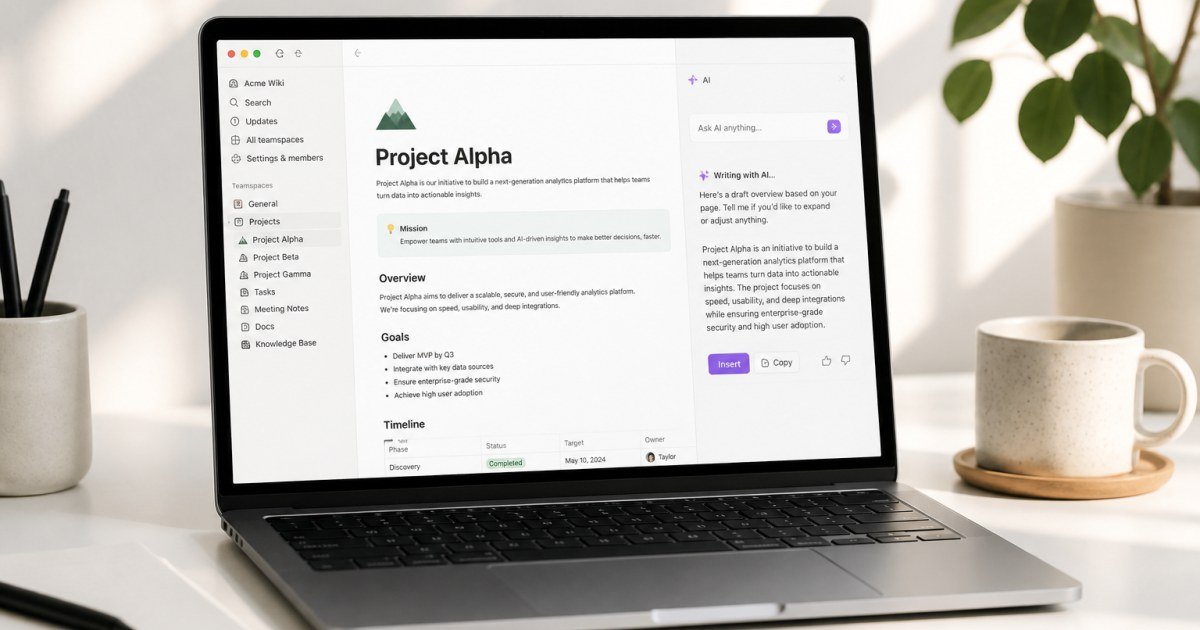
Notion AI promises drafting and Q&A inside the same workspace where your docs already live. The ROI question is whether that beats a separate ChatGPT Plus tab.
Affiliate disclosure: TalkGrove may earn a commission when you buy through links on this page. That never changes our editorial standards or ratings.
What Notion AI Is
Notion AI adds generative assistance for summaries, action items, and drafting within pages and databases.
Key Features and Buying Criteria
Inline AI edits, database enrichment patterns, and workspace-aware Q&A depending on plan/rollout.
Must-check items before you buy
- Confirm plan limits that affect your real workload
- Ask for all-in pricing including add-ons and seats
- Run a short pilot with a production-like task
- Read cancellation, data export, and refund terms
Pricing Reality in 2026
AI is often an add-on. Count active users who will actually click it weekly.
Who It Is Best For
Best when your knowledge base is already in Notion. Weak if your docs live elsewhere.
Practical Takeaways
- Test Q&A on a messy real wiki
- Compare with ChatGPT for long drafts
- Set guidelines so AI does not invent policy
Pros and Cons
Pros: context next to work. Cons: raw model flexibility may trail dedicated AI chat tools.
How TalkGrove Evaluates Tools
We score clarity of pricing, real workflow fit, learning curve, support responsiveness, and whether the product still makes sense after the free trial. Recommendations stay independent even when affiliate links are present.
Final Verdict
Notion AI is worth it mainly for Notion-centric teams that summarize and draft inside existing pages every week. Read related TalkGrove reviews and comparisons next, then decide with a written checklist—not a impulse upgrade.