


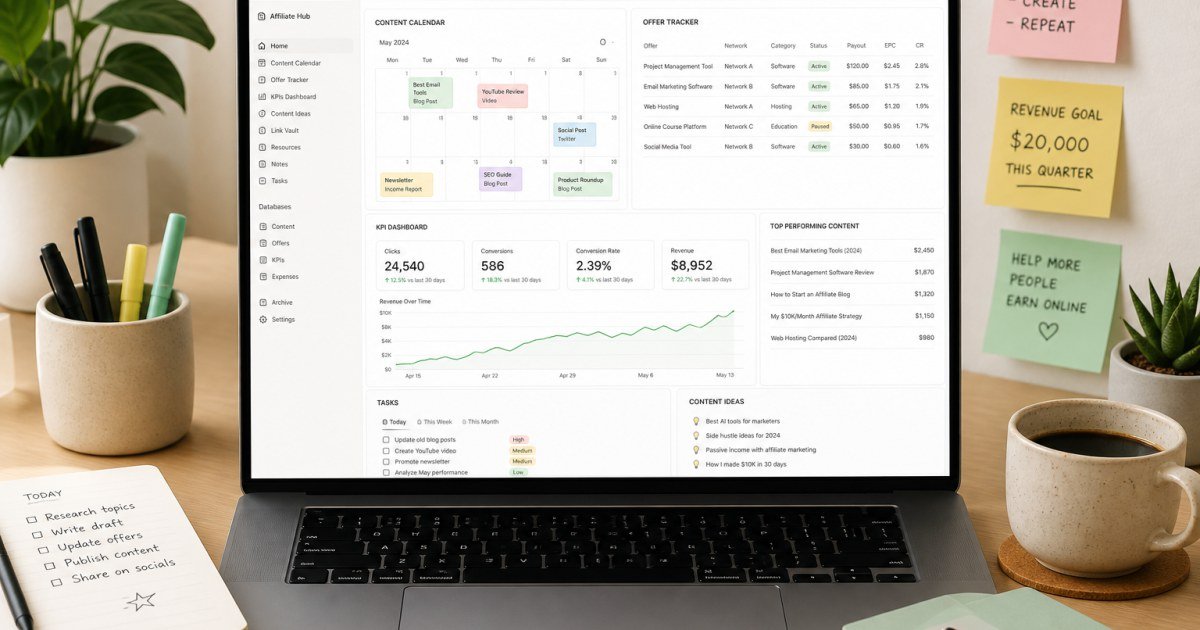
Affiliate marketers drown in spreadsheets. A tight Notion workspace can track offers, content, and revenue without becoming a second full-time job.
Affiliate disclosure: TalkGrove may earn a commission when you buy through links on this page. That never changes our editorial standards or ratings.
Why This Guide Matters
Build four databases: Offers, Content Pipeline, Keywords, and Monthly KPIs—linked with relations/rollups.
Key Features and Buying Criteria
Use templates for review outlines, disclosure checklists, and publish-day QA so quality stays consistent.
Must-check items before you buy
- Confirm plan limits that affect your real workload
- Ask for all-in pricing including add-ons and seats
- Run a short pilot with a production-like task
- Read cancellation, data export, and refund terms
Pricing Reality in 2026
Free Notion works initially; paid plans help with collaboration and AI if your team grows.
Who It Is Best For
Ideal for solo/small affiliate teams. Overkill if you already love a simple spreadsheet.
Practical Takeaways
- Start with Offers + Content only
- Add dashboards after two weeks of clean data entry
- Review stale offers monthly
How TalkGrove Evaluates Tools
We score clarity of pricing, real workflow fit, learning curve, support responsiveness, and whether the product still makes sense after the free trial. Recommendations stay independent even when affiliate links are present.
Final Verdict
Notion templates help affiliates when they stay simple—four linked databases beat a 40-page wiki nobody updates. Read related TalkGrove reviews and comparisons next, then decide with a written checklist—not a impulse upgrade.